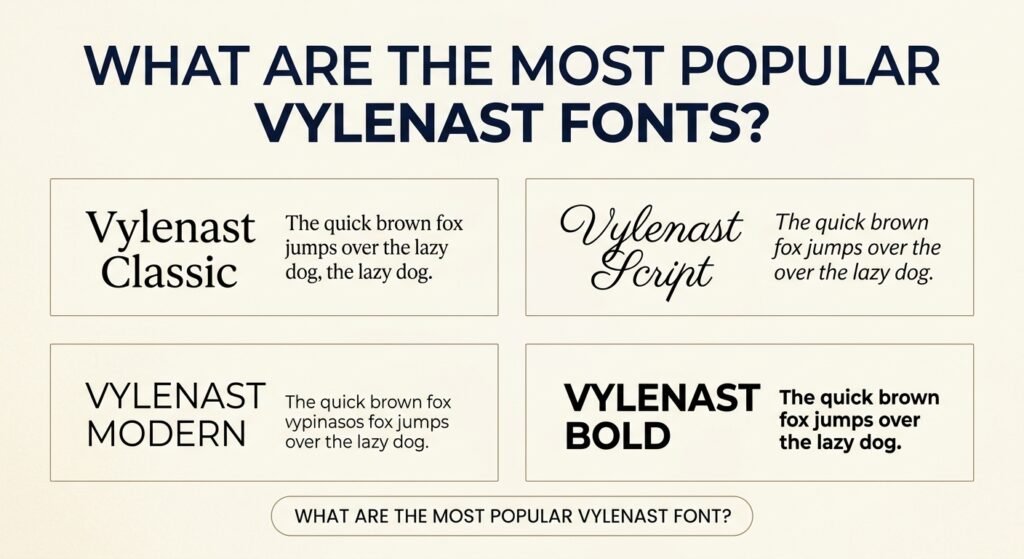
Vylenast Symbols offer a creative way to make ordinary text look stylish, attractive, and personal. From fancy letters and decorative stars to cute hearts and aesthetic characters, these symbols can help transform simple usernames, social media bios, captions, and messages. You can copy and paste many of these designs directly into supported text fields without installing additional software.
Whether you prefer elegant cursive lettering, bold text, minimalist symbols, or playful decorations, there are plenty of styles to explore. The key is choosing characters that match your personality while keeping your text easy to read. This guide covers popular text styles, ready-to-copy symbols, practical uses, and helpful tips for creating unique designs.
What Are Vylenast Symbols?
Vylenast Symbols are stylish characters, decorative signs, and fancy text styles used to give ordinary writing a distinctive appearance. They include hearts, stars, arrows, circles, artistic letters, and other visual elements that can make a short phrase or profile name more interesting. Some characters are simple decorations, while others resemble different lettering styles.
Many copy-and-paste designs use Unicode, a character standard that allows computers and mobile devices to represent text and symbols. Instead of changing the appearance of an ordinary letter through a traditional font setting, certain styles use separate characters that already have a decorative appearance. This makes them convenient for personalizing short text, although their appearance and compatibility can vary between applications.
Popular Stylish Text Styles to Copy and Paste
Stylish lettering can change the mood of a word without changing its basic meaning. Bold characters create a confident appearance, script letters feel elegant, and monospace designs provide a clean, technical look. Selecting a style depends on where you plan to display the text and how much attention you want it to attract.
Here are some popular Unicode text styles using the word “Stylish” as an example.
| Text Style | Copy-and-Paste Example |
|---|---|
| Bold | 𝐒𝐭𝐲𝐥𝐢𝐬𝐡 |
| Italic | 𝑆𝑡𝑦𝑙𝑖𝑠ℎ |
| Bold Italic | 𝑺𝒕𝒚𝒍𝒊𝒔𝒉 |
| Cursive Script | 𝒮𝓉𝓎𝓁𝒾𝓈𝒽 |
| Bold Script | 𝓢𝓽𝔂𝓵𝓲𝓼𝓱 |
| Gothic | 𝔖𝔱𝔶𝔩𝔦𝔰𝔥 |
| Double-Struck | 𝕊𝕥𝕪𝕝𝕚𝕤𝕙 |
| Monospace | 𝚂𝚝𝚢𝚕𝚒𝚜𝚑 |
| Circled Letters | Ⓢⓣⓨⓛⓘⓢⓗ |
| Fullwidth | Stylish |
These examples show how different character styles can express different personalities. Script lettering suits elegant profile names, while bold and gothic characters often work well for short gaming names or creative titles. For longer sentences, a simpler style is usually easier to understand. Always preview the result in the application where you intend to use it.
Decorative Symbols for Names, Bios, and Captions
Decorative symbols can add personality without changing every letter in a word. A small star beside a username creates a playful touch, while a heart or flower can make a short caption feel more expressive. These characters are especially useful when you want a recognizable design that does not overwhelm the original text.
Explore these symbol collections and copy the characters that suit your preferred style.
- Star symbols: ★ ☆ ✦ ✧ ✩ ✪ ✫ ✬
- Heart symbols: ♡ ♥ ❥ ❣ ღ ❦ ❤
- Flower symbols: ❀ ✿ ❁ ❃ ✾ ❊
- Moon symbols: ☾ ☽ ☼ ☀ ☁
- Arrow symbols: → ← ↑ ↓ ↗ ↘ ➜ ➤
- Geometric symbols: ◆ ◇ ○ ● △ ▽ ◈
- Music symbols: ♪ ♫ ♬ ♩ ♭ ♮
- Sparkle symbols: ✨ ✦ ✧ ⋆ ˚
Each group creates a different visual effect. Stars work well for highlighting names, arrows are useful for directing attention, and hearts can communicate warmth or affection. For a balanced design, begin with one or two symbols rather than surrounding every word with decorations. Consistent spacing also makes the final result cleaner and more comfortable to read.
How to Copy and Paste Vylenast Symbols
Copying and pasting Vylenast Symbols is a simple process that works with many common text editors and applications. You can select an individual symbol, a decorative combination, or an entire line of stylish lettering. The copied content can then be inserted wherever the destination application permits those characters.
Follow these steps to create your own decorative text:
- Choose your text: Start with a name, nickname, short phrase, or caption you want to personalize.
- Explore available styles: Compare bold, cursive, gothic, circled, or other decorative lettering.
- Select suitable symbols: Add a star, heart, flower, or another character that matches your chosen style.
- Copy your selection: Use a copy button when available, or highlight the text and choose Copy.
- Paste into your destination: Insert the characters into a profile, message, username field, or document.
- Check the appearance: Make sure the letters remain readable and the destination accepts the characters.
On a computer, the usual keyboard shortcuts are Ctrl+C and Ctrl+V on Windows, or Command+C and Command+V on macOS. Mobile users can generally select text and use the Copy and Paste options. If the copied characters do not display correctly, try a simpler design or a smaller number of decorative marks.
Create Original Usernames and Profile Names
A username often creates the first impression of an online profile. Decorative characters can help make a familiar name look distinctive without replacing it with an entirely unfamiliar word. A good design should remain recognizable, memorable, and easy for others to identify. Simple decorations around ordinary letters are often more practical than converting every character into an elaborate style.
Here are a few examples of creative profile-name designs:
- Minimal: ✦ Alex ✦
- Elegant: ♡ 𝓔𝓶𝓶𝓪 ♡
- Bold: ★ 𝐋𝐞𝐨 ★
- Gaming: 『NIGHT』ツ
- Aesthetic: ☾ Luna ☽
- Playful: ❀ Daisy ❀
Choose decorations that reflect your preferred identity or the atmosphere of your profile. For example, a gaming nickname may benefit from a bold appearance, while a personal profile might look better with subtle stars or flowers. Remember that some services restrict special characters in account usernames even when they allow them in display names. Testing your design before using it permanently can prevent unnecessary changes later.
Stylish Text for Social Profiles and Messages
Social media profiles, captions, and short messages offer useful opportunities for decorative lettering. A short phrase surrounded by symbols can stand out visually, particularly when the surrounding content uses ordinary text. You might use a small heart in an Instagram bio, a bold phrase in a caption, or a distinctive display name in a messaging application. These details can express personal style without requiring a complicated design.
Different situations benefit from different levels of decoration. For a professional profile, keep essential information in standard lettering and reserve symbols for a short tagline. Casual messages can be more playful, using flowers, stars, or creative combinations. Gaming communities may favor stronger designs, including brackets, geometric shapes, and gothic letters. In every case, consider the platform’s character limits, display rules, and overall readability before finalizing your text.
Balance Decoration With Readability
The most attractive decorative text is not necessarily the most complicated. Too many symbols can make a simple name difficult to recognize, while excessive character spacing can interrupt the natural flow of a sentence. A strong design usually combines a readable word with a small number of carefully selected decorations. This creates contrast without hiding the original message or making the reader work harder to understand it.
Consider the difference between ✦ Dreamer ✦ and a phrase surrounded by many unrelated stars, hearts, arrows, and brackets. The first example has a clear focal point and consistent styling. You can achieve a similar result by limiting your design to one visual theme, keeping spaces consistent, and using fancy lettering mainly for short words. For longer descriptions, ordinary text remains a better choice because it is easier to scan, copy, and search.
Unicode Characters vs. Installed Fonts
Unicode characters and installed fonts are related, but they are not the same thing. A font is a collection of visual designs used to display characters. An installed typeface may offer different weights, shapes, and letterforms within a compatible design application. By comparison, fancy copy-and-paste text often substitutes ordinary letters with separate Unicode characters that resemble bold, script, or other styles.
This distinction matters when choosing how to customize your content. Copyable Unicode lettering is convenient for short profile text because it does not depend on applying a font setting in the destination field. Traditional fonts are generally more suitable for structured design projects such as posters, presentations, websites, and printed materials. They offer better control over typography when the software supports them. Unicode decorative text is useful for quick personalization, but it should not replace proper formatting in longer or accessibility-sensitive content.
Compatibility, Accessibility, and Search
Not every device or application displays decorative characters in exactly the same way. The result depends on the fonts available in the operating system, the software displaying the text, and the characters being used. A symbol might appear beautifully on one device but show a missing-character box on another. Some combinations may also have unusual spacing or alignment, especially when several marks are attached to the same letter.
Accessibility and searchability are equally important. Screen readers may announce unusual Unicode letters differently from their ordinary equivalents, potentially making decorative sentences difficult to understand. Some search systems also treat visually similar characters as different text, which can affect searches for names or phrases. Keep important information, contact details, instructions, and searchable account identifiers in plain text whenever possible. Decorative symbols are best treated as visual enhancements rather than replacements for clear communication.
Fix Common Copy-and-Paste Problems
Copy-and-paste symbols usually require little setup, but occasional display or formatting problems can occur. These issues are often related to character support, automatic text formatting, or restrictions within the destination application. Understanding the cause makes it easier to choose an alternative style without losing the overall appearance you want.
Here are common problems and practical solutions:
- Missing character boxes: Replace unsupported symbols with simpler, more widely recognized characters.
- Symbols disappear after pasting: Check whether the destination allows special characters in that particular field.
- Unusual spacing: Remove unnecessary spaces or complex combining marks.
- Text looks different on another device: Test the design on multiple screens and select a more consistent style.
- Username is rejected: Try ordinary letters with fewer decorations or use a display-name field instead.
- Copied text becomes unreadable: Return to the original wording and apply decoration only to selected parts.
When troubleshooting, start with a short sample rather than a long decorated sentence. Paste a single symbol first, then add characters gradually until you find a combination that displays correctly. It is also helpful to keep a plain-text copy of your original name or message. This allows you to restore the wording quickly if an application removes characters or changes their appearance.
Frequently Asked Questions About Vylenast Symbols
Can I use these symbols in any app?
You can use many Unicode symbols in applications that support text input, including messaging tools, profile fields, and document editors. However, compatibility is not universal. Some applications limit special characters, and certain devices may display them differently. Test your preferred design before relying on it.
Are fancy text symbols free to copy?
Standard Unicode characters can generally be copied and used as text without purchasing a font. However, a downloadable font file is a separate product and may have its own licensing conditions. Always distinguish between copying characters and obtaining permission to distribute or commercially use a particular typeface.
Why do some symbols appear as boxes?
A box often indicates that the device or application cannot display a particular character with its available fonts. Updating software or choosing a more common symbol may help. Decorative characters with complex combinations can be especially inconsistent across different platforms.
Can I combine symbols with emojis?
Yes. You can combine decorative characters with emojis to create expressive names, short captions, and profile descriptions. For example, ✦ Dream Big 🌙 adds a visual accent without changing the message. Use emojis sparingly because their appearance and spacing can vary between devices.
Do fancy letters affect profile searches?
They can. Some fancy letters are different Unicode characters rather than ordinary letters with a visual effect. As a result, search systems may not always match them to their standard equivalents. Keeping your main profile name readable and using standard letters for searchable information is a sensible approach.
Which styles are easiest to read?
Plain lettering with a small number of decorative symbols is usually the easiest to understand. Bold Unicode characters can work for short labels, while cursive and gothic designs may require more effort to recognize. Choose simple styles when clarity, accessibility, or quick identification matters most.
Conclusion
Vylenast Symbols provide a simple way to personalize digital text with stylish lettering, decorative characters, and creative combinations. Whether you are designing a username, improving a profile bio, or adding personality to a caption, the best results come from balancing visual appeal with readability. Explore different styles, copy your favorite symbols, and test their appearance before using them. A few well-chosen characters can make ordinary text feel distinctive without making it difficult to understand.